


In-stock items ship same-day from our Raleigh, NC facility if order is placed before 2:00 p.m. ET.
Completely revamp your 2015-2017 Subaru Crosstrek with a new screen. Wireless CarPlay and Android Auto, and a whole lot more.
- Premium touchscreen replacement for your outdated original Subaru infotainment screen.
- The Hamilton Conversion Kit fully supports all original radio and trim versions for the 2015-2017 Subaru Crosstrek.
- Meets and exceeds all original radio specifications for quality sound output.
- Supports your original backup camera and steering wheel controls.
- Zero impact to your optional EyeSight® driver assist technology, if equipped.
Built for the DIY customer in mind. Full installation video available.
- This device is completely plug-n-play, meaning there is no splicing or modifications to the original harness involved.
- It supports every factory radio version for the 2015-2017 Subaru Crosstrek.
- We have a full installation walkthrough on our YouTube channel.
Retains your original microphone, steering wheel controls, and backup camera.
- Don't compromise on call quality. The Hamilton engineers designed this device to preserve your original microphone for strong call quality.
- This device also works seamlessly with your original steering wheel controls and backup camera.
Powerful Hamilton OS when not using CarPlay or Android Auto
- If you plan to only use CarPlay or Android Auto, you'll never need to interact with the Hamilton OS. That said, it's a powerful underlying platform that lets you load apps directly onto the device outside of CarPlay or Android Auto.
- Through the Hamilton OS, you can access features that may not be available within CarPlay or Android Auto.
- The device has 4G SIM support for T-Mobile and other USA SIM carriers (See product Specs for more discussion on SIM cards).
- Outside of CarPlay/Android Auto, you will have FM (non-HD) and AM radio. This device does not support native XM radio. You can use the Sirius XM app in CarPlay/Android Auto. It also does not support playback via DACs/MP3 devices, although the harness does contain AUX L and R inputs for custom setups.
- Supports 5-channel audio amps or optical cable input amplifiers (more details coming soon on Help Center for aftermarket audio options).
Premium Warranty: "The Hamilton Guarantee." Tech support in NC
- Talented NC-based tech support is just a phone call away at (919) 858-2890 Monday to Friday 9am-6pm and Saturdays 10am-3pm. You can also submit a ticket through our Help Center.
- We back our devices with a 3-year limited warranty, called "The Hamilton Guarantee." Full warranty details are available in our Terms of Service.
| Components | Details |
| OS | Hamilton Android 13-Based OS |
| CPU | Qualcomm USA-Spec 8-Core (8x Kyro 260) |
| GPU | AdrenoTM 610 |
| AI Engine | Hexagon 686 DSP |
| RAM | 8GB |
| ROM | 128GB On Board Storage |
| External Apps | Supports Google Play apps subject to app developer compatibility standards. Check with Hamilton support for any specific questions. |
| 4G | Supports optional 4G data plan via Hamilton Connect program. 4G data plan is not needed to use CarPlay/Android Auto or the device. It allows you to have data for powerful apps without connecting your phone, similar to a new car. |
| GPS | Yes, GPS/GLONASS/BDS/Galileo/QZSS |
| Bluetooth/WiFi | BT5.0, WiFi 2.4G and 5G Bands |
| Apple CarPlay/Android Auto | Wireless CarPlay and Android Auto |
| Microphone | Vehicle OEM |
| Backup Camera Compatibility |
Factory backup camera (default), or any aftermarket CVBS-compatible camera |
| Temperature Rating | AEC‑Q100 Grade 3 (-40c to +85c) |
| PCB |
Designed in NC. HDI Technology. Precision plated for durability, performance, and audio quality preservation. |
| Compatibility Notes | Works with all trim versions/factory radios. Does not affect Subaru EyeSight technology. |

CarPlay Overview and Setup
I bought this because the factory replacement was double the cost. My screen actually went out so I wasn't looking for anything too expensive. I also don't own a crosstrek. I drive a 2016 Impreza but all the forums say these two models are almost 100% interchangeable. More specifically, they have the exact same radio, head unit installed. I was a little skeptical about purchasing this but it worked out.
Removal of the old unit does require the HVAC temperature and direction wires disconnected. I ended up breaking one of the wire clips but its fine. Its mechanical controls and I only leave it blowing out of the face. I lost a CD player from the conversion, I guess I will have to stream Metallica's black album, and the new panel is slightly taller than the old slot, so its not 100% flush. I guess its one of those minor differences between impreza and crosstrek. AC vents blow fine. I can bend the panel down and push into the brackets but it pops itself out. Its also 10 year old car and I am the only one that drives the car. It ain't gotta be perfect.
I did lose volume and tune nobs. The new buttons are digital.
I got a bigger and new screen. I didn't have to buy any additional items. If anything I got rid of brackets creating more space back there from removing the old radio. It was like the size of two bricks. No splitting wires to make it work. My steering controls, like volume and source changes, work. I haven't tried making calls on it yet. Most importantly my originak back-up camera works.
Total time to remove old unit: about 3 hours. I really didn't want to break brackets. Its a 10 year old car and stuff can be brittle.
Total time to install: about 2-3 hours. I guess the crosstrek has just 1 panel compared to impreza's 2, so some items I had to separate and attach to the new panel.
Setting config: about an hour. Setting radio stations, connecting phone, screen brightness (its auto to your headlights ... it nearly blinded me at night when I turned it on.) It seems like cell phone more than a radio.
I also liked the support. I got immediate responses from questions.
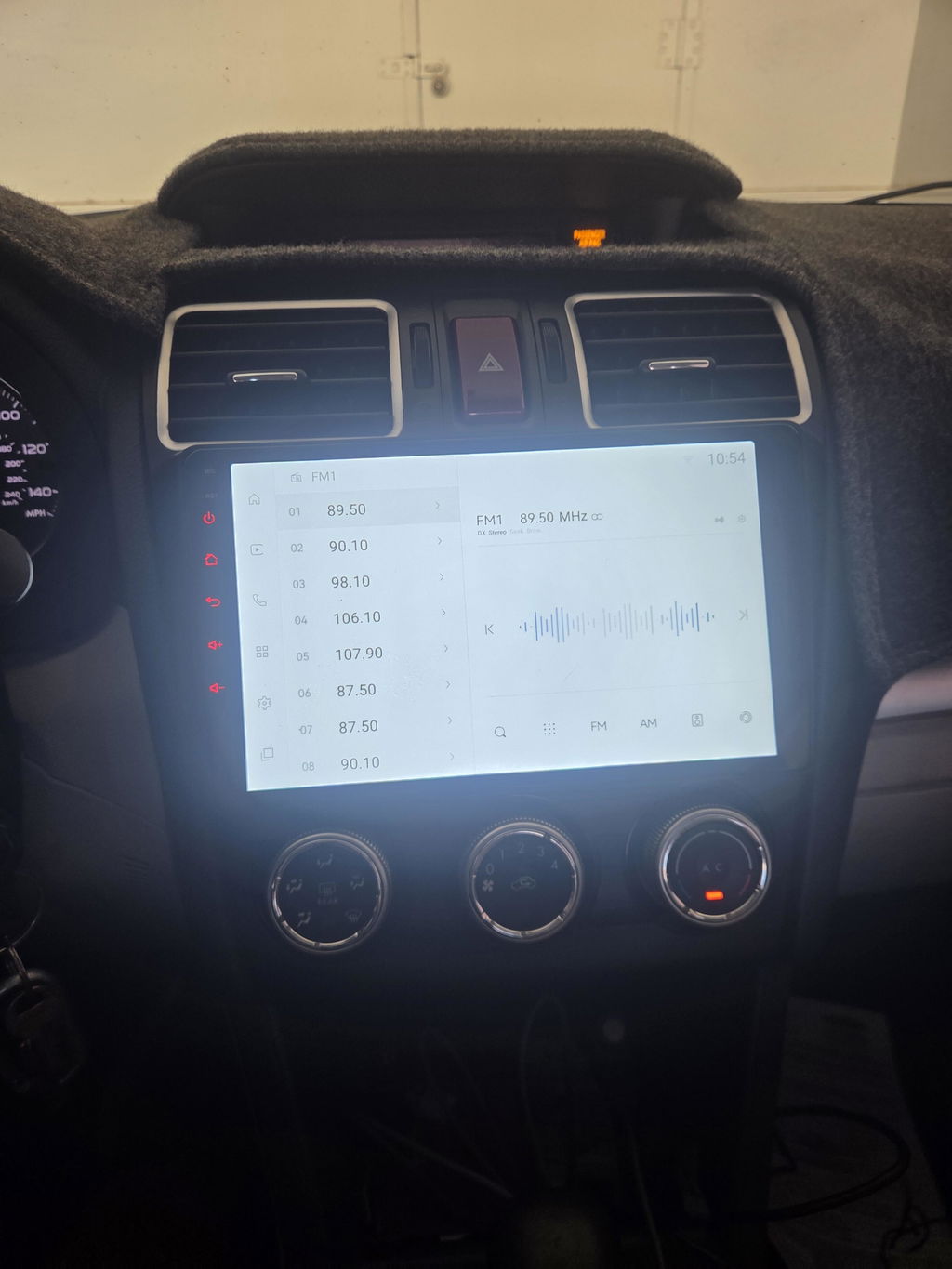
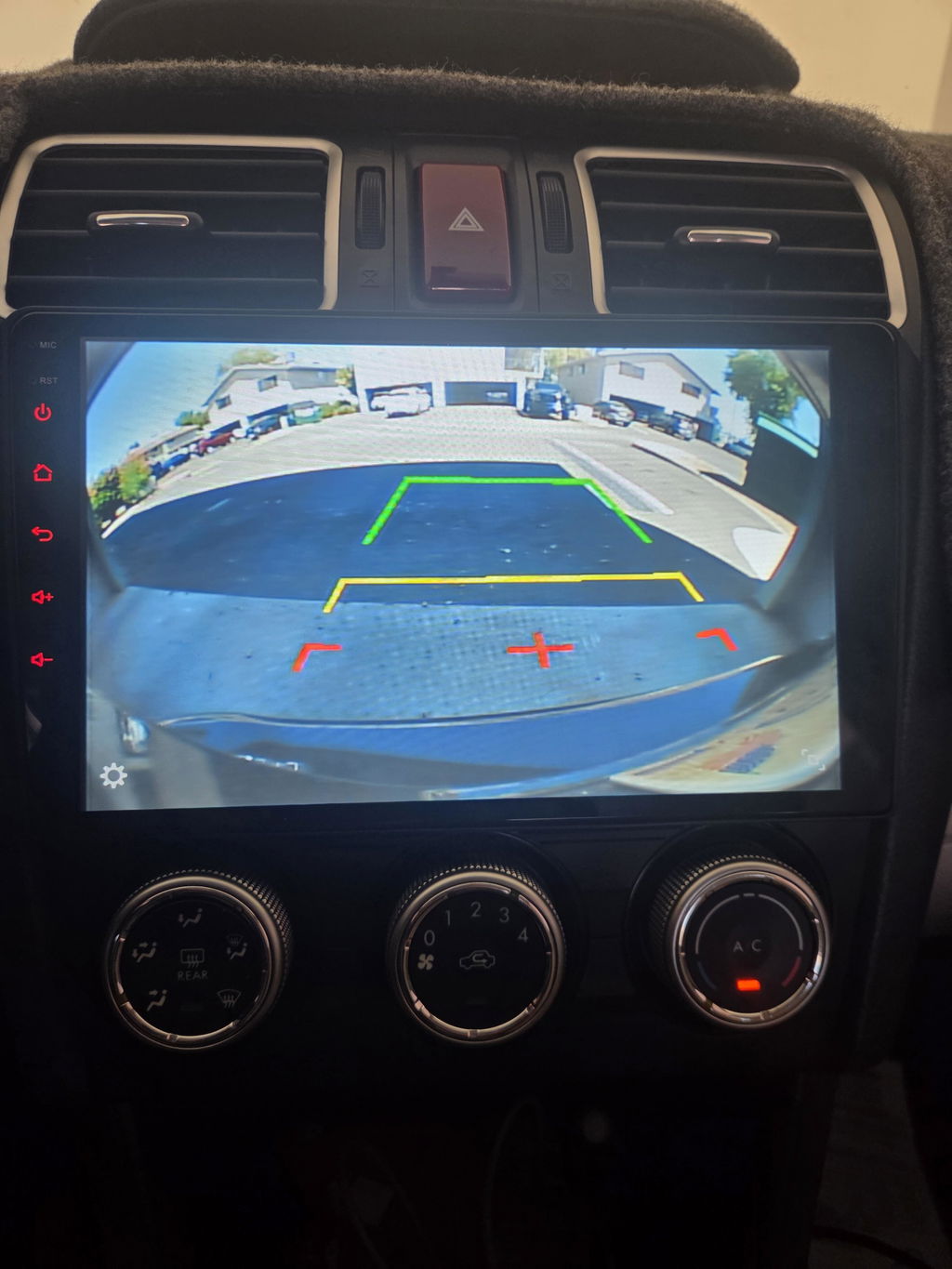
The stereo upgrade sounds better, the screen is larger, and the assembly looks nicer than factory. I did the work myself, took about 2 1/2 hours start to finish. Watching the video a couple of times helped. If you have an older Crosstrek, you'll need to remove the steel cables in the back on the left and right before you remove the old unit. Needle nose pliers work. You can reduce the tension on the wires by turning the climate control dials. Makes them easier to pull out. Same process for reconnecting them after installation.
I was very pleased to see that a YouTube video was available for installing the new Hamilton radio in my 2016 Subaru Crosstrek. The video was helpful and instructional, but it was not fully complete.
Although the finished product is excellent, installing the conversion kit yourself can be time‑consuming and frustrating. It took me about six hours to complete the installation. Part of that time was spent repairing a pin retainer for the dashboard air‑vent attachment that broke accidentally; I was able to glue it back onto the Hamilton dashboard conversion piece without issue.
A major delay came from the HVAC control module. The 2016 Crosstrek’s blower, heater, and mode control switch assembly uses two long metal pulley wires (left and right) that connect to the HVAC directional flaps under the dashboard. These wires must be disconnected before the original radio/HVAC faceplate can be removed. It took nearly an hour of feeling behind the HVAC unit and rewatching the video to realize this step was required. This information should be included in Hamilton’s installation instructions and in the YouTube video.
Additionally, the wires in the wiring‑harness cable could be about six inches longer. A longer harness would make it much easier to see and reach the connection points on the back of the conversion kit. Trying to fit my head between the dashboard and windshield to locate the ports made the process unnecessarily difficult.
Despite the challenging installation, the final product looks and works great. The screen appears to have a variable backlighting feature—though I haven’t explored it yet—and a slightly brighter display would improve visibility. The software made connecting to Apple CarPlay effortless, and the system provides plenty of power for the speakers. The sound quality is very good.
Overall, the Hamilton Conversion Kit is excellent. My only recommendation is that Hamilton provide more complete, model‑year‑specific installation instructions. If you plan to install it yourself, give yourself plenty of time, watch the videos carefully, and make sure you have the necessary tools. A dashboard schematic is extremely helpful for understanding how the parts connect before you begin disassembly. Most importantly, be patient and avoid using excessive force when removing the old radio or installing the new kit. If you’re not familiar with car‑audio installation, having a second person assist you is highly recommended.
One day after install, my current rating is a 4.5. Three minor concerns have come up. I’ve got to do more to learn the Home Screen and how much functionality I have without the SIM card service, you’ll need to toggle to Bluetooth Phone to access CarPlay. Second issue is the installation video is great, up until the detailed wiring, where the video rushes some things and doesn’t provide great angles to see the individual wires. The final issue was the amount of wires, while it feels like you have half a mile of wires in your hands, the most important antenna only has like 8 inches of wire, which isn’t enough to mount it over the glove box void. For a 2017, you’ll want to do GPS behind glovebox, Bluetooth between AC vents, and 4G next to steering wheel.
The only reason I coveted a new Crosstrek was for the ability to have a truly useful system utilizing CarPlay. This product is a lot cheaper than replacing my perfectly good 2016 cat😌. It works seamlessly and looks good as well.
So far, a great replacement for the stick head unit! Pretty easy to install though the installation video on YouTube left out a critical step in the removal of the old unit…the disconnection of the climate control cables.
I would have given 5 stars except there isn’t much guidance on the actual use of the unit and so far, I still cannot figure out how to adjust the volume on the actual unit and not the steering wheel controls. There doesn’t appear to be an easy way for a passenger to adjust the volume.